Make Your Outstanding Tiny Desk AI Video
Make a Tiny Desk AI video with yourself, friends, or pets in any seat. One photo is enough. An empty seat keeps whoever is already there.
0 of 5 photos
Tap or drop a photo on a face. Drag it to another seat. × puts that seat back.
By creating, you confirm you have permission to use these photos. A video that fails is never charged.
No sign-up needed · Use credits to make your video
Your photo is only used to make your video, never to train AI. Without an account, photos and videos are deleted 3 days after the video is ready.
How to use Tiny Desk AI
Pick Dogs or Original
Choose the people at the desk or the five dogs. The player shows that clip with its sound. Your video keeps that clip's length, song, and camera.
Add the laughing close-up
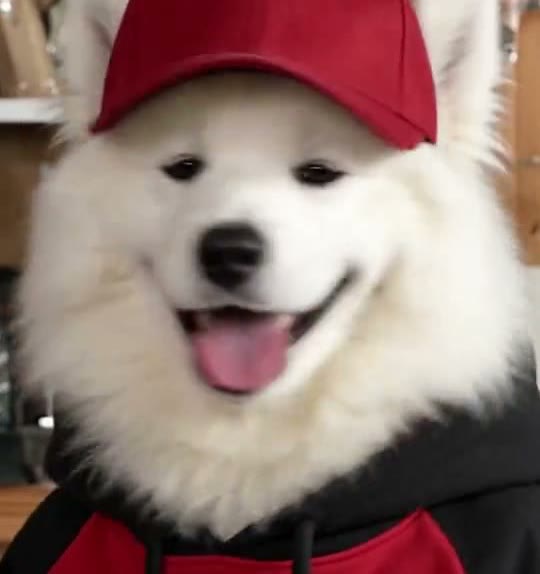
The Lead seat is the close-up in the red cap, and it is required. Left, keyboard, right, and saxophone are optional. Leave one empty and that person, or that dog, stays.
Generate
Press Generate. There is no prompt to write, and no length or quality to pick. The file comes back at 720p, as long as the clip you picked, with the song still in it.
What happens in your video
Dogs
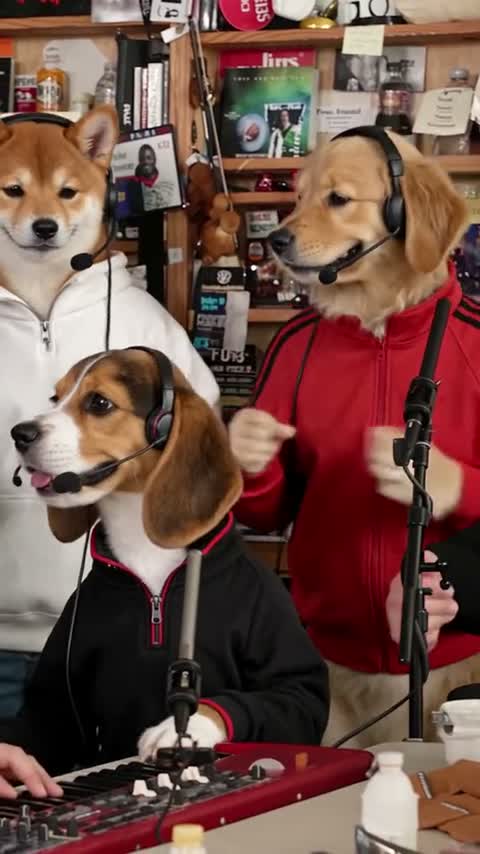 0–5.3 s
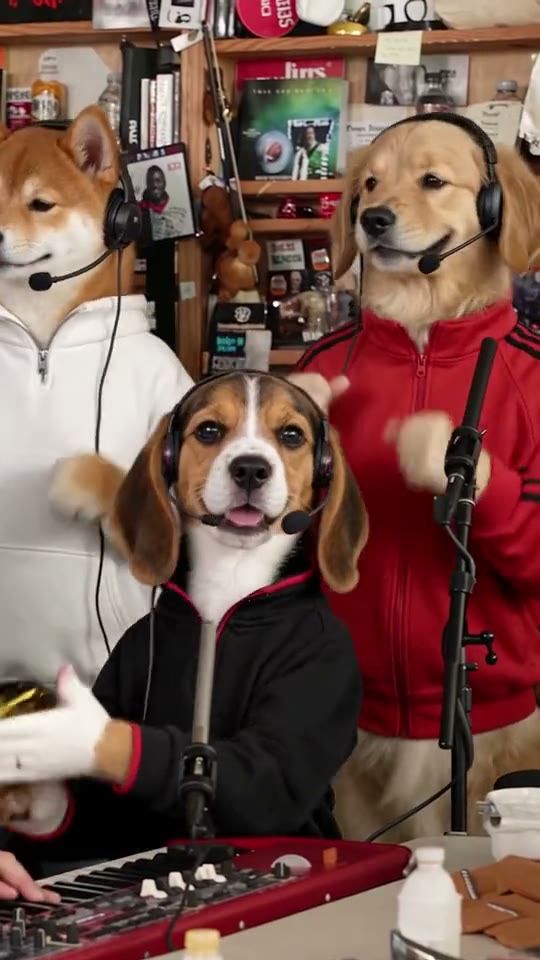
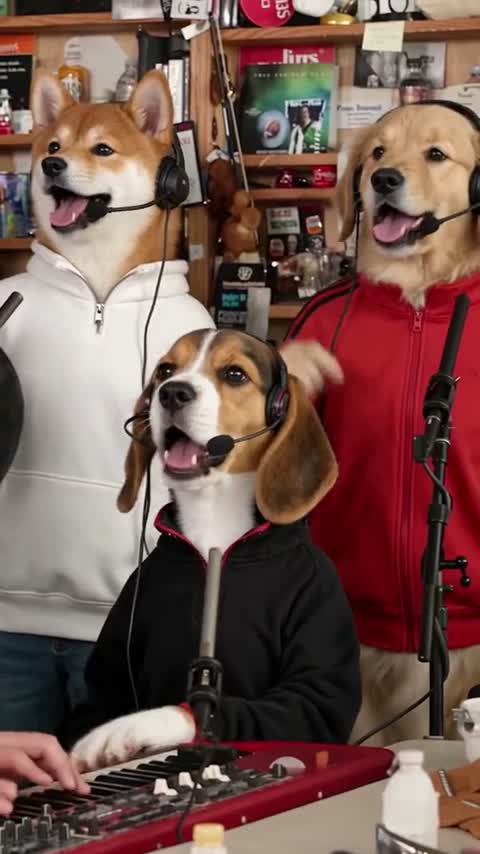
Three dogs are at the desk from the first frame: one standing on the left, one at the keyboard, one standing on the right.
 5.3–11.6 s
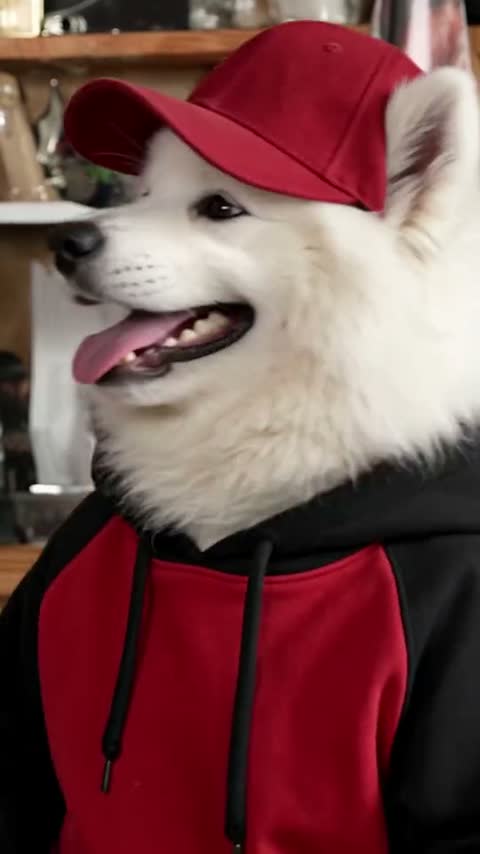
The white fluffy dog in the red cap laughs in close-up. This is the photo the form requires.
 11.6–15 s
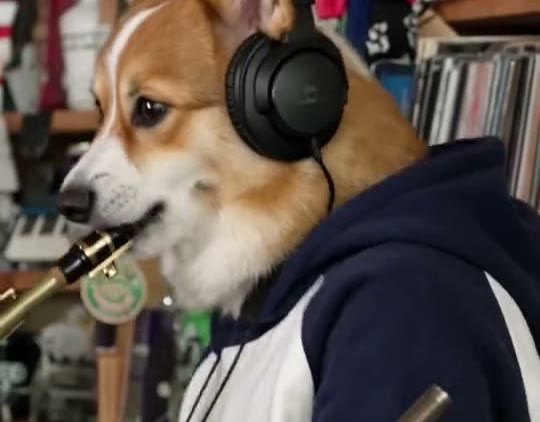
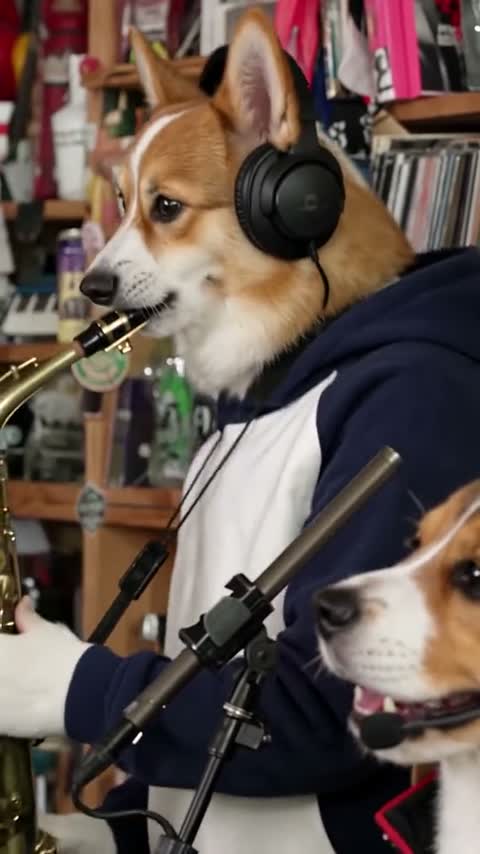
A dog plays the saxophone, close, with another dog in front of the horn.
 15–17.7 s
The wide desk comes back: the keyboard and the two standing dogs.
Original
 0–1.4 s
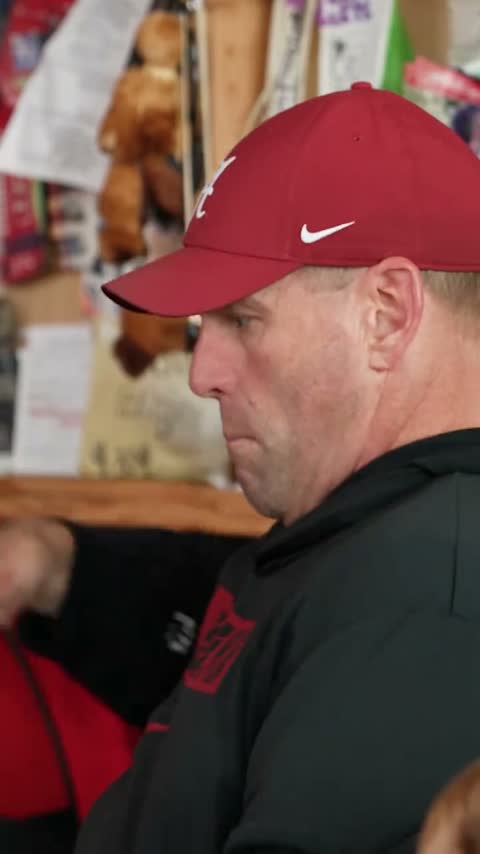
Side close-up of the person in the red cap. This shot is not the laugh.
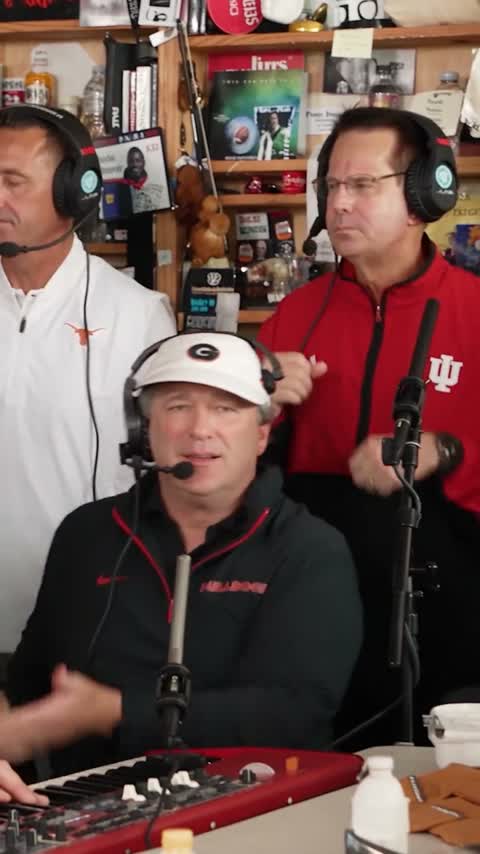 1.4–6.7 s
The whole desk: keyboard in the middle, one person standing on the left, one on the right.
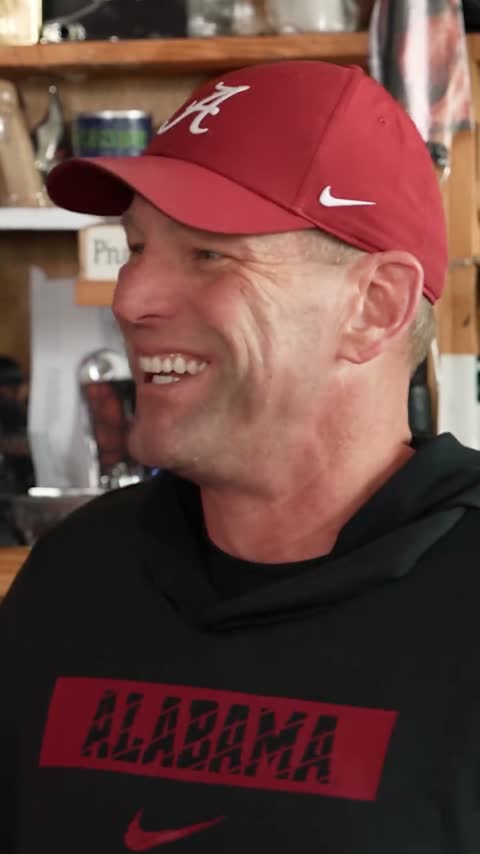 6.7–13 s
The person in the red cap laughs in close-up. This is the photo the form requires.
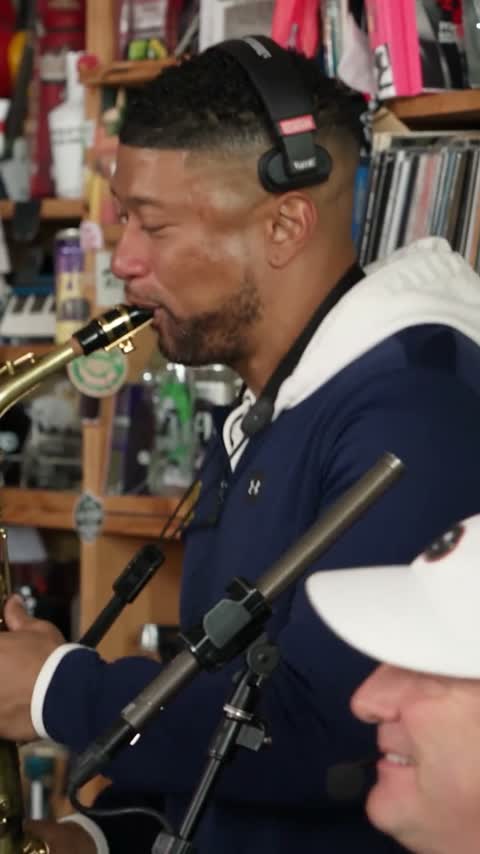 13–16.4 s
The saxophone, close.
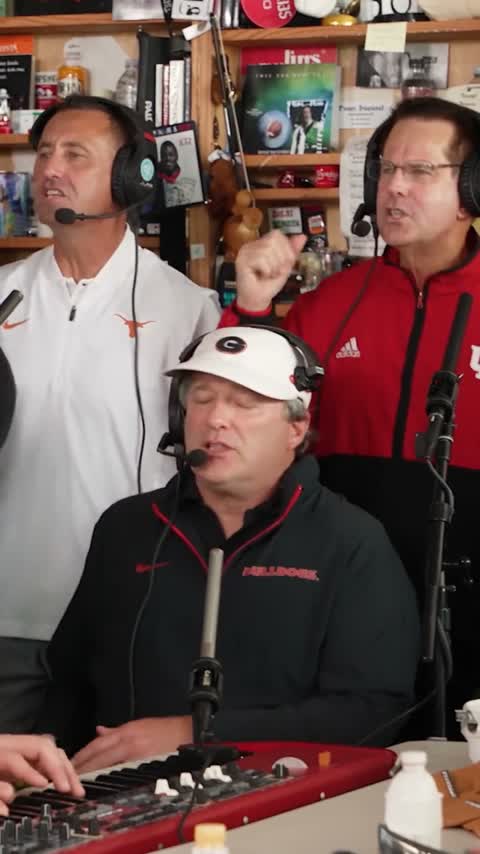 16.4–19.1 s
The wide desk again.
The short answer
Tiny Desk AI costs 100 credits whether you add one photo or five. Pick Dogs or Original, add a photo for the laughing close-up, and fill any other seats you want. A seat you leave empty keeps the person or the dog already in that clip. You get that version back at 720p, about 19 seconds or just under 18, with the song still in it.
Also called
People also look this clip up under these names:
Outstanding Tiny Desk AI / Outstanding Tiny Desk / Tiny Desk Outstanding / tiny desk ai generator / tiny desk ai video
Outstanding Tiny Desk AI is the about-19-second desk video with five seats. Tiny desk ai video is the file you download. This page is the tiny desk ai generator: you upload photos, and you do not write a prompt.
Where the Tiny Desk AI trend came from
In 2023, a desk concert closed on a short ending that people kept replaying. Performers were packed around a cluttered desk, and a song ran under those last moments.
Around October 2026, AI remakes of that ending took off. The clip people passed around runs about 19 seconds and has five seats. One person laughs into the camera. Two stand at the sides of the desk. One sits at a keyboard. One plays a saxophone. The song plays from the first second to the last.
From there, the seats stopped belonging only to the original cast. People put friends in them. They put pets in them too. This page is that use of the clip. You pick the people or the five dogs. The seats you fill take your photos. A seat you leave empty keeps the performer already in that version.
Looking for tiny desk?
Tiny desk is the short search for this same clip: the desk, the song, and the five seats. This page makes that video from your photos. It is not a page about the original concert. Pick Dogs or Original and add your photo.
Tiny Desk AI remake vs a template edit
A remake rebuilds the whole clip. The song, the camera cuts, and the length stay with the version you picked. Your photos decide who fills the seats you choose. You do not line the frames up or trim the shots yourself.
A template edit is a different job. A template app hands you a preset and leaves the assembly to you: place a photo on a frame, move the pieces, then export. This page does not work that way. There is no prompt, no timeline to edit, and no app to install. One generate returns the whole video.
Original is the people at the desk. Dogs gives those same five jobs to dogs. You pick one version. You are not building it from pieces.
A tiny desk ai generator without the catch
No app, and no prompt
Upload photos into this Tiny Desk AI generator — no prompt. You do not install an app, and you do not describe the concert in a text box. The desk, the camera cuts, and the song are already in the version you pick. Your photos only decide who fills the seats you choose.
You, friends, or pets
Each seat takes one photo of one subject — you, a friend, or a pet — and you can fill several seats at once. Your photo decides who is in that seat.
One price for the whole clip
The price on Generate does not change between one photo and five. Adding an optional seat does not add a charge, and leaving a seat empty does not lower it. You do not pick a length or a resolution.
Pay for the video, never for a failure
There is no subscription. You buy credits once, and they do not expire. If the render fails, the credits for that video go back to your balance.
What you get
You get one vertical video, as long as the version you picked. Original runs about 19 seconds. Dogs runs just under 18 seconds. Neither clip is cut down to a 15-second short. The finished file is 720p.
The song in the player is the song in the file. Your photo does not sing a new vocal, and this page does not write a new track. There is no watermark. You download an MP4.
Only the seats you fill are changed. Lead always changes, because that photo is required. An empty optional seat keeps the performer already in the clip. One photo is enough for a complete video.
Posting your Tiny Desk AI video
Listen in the player on this page before you generate. The sound you hear there is the sound in the file you download. Play the clip through once, then generate if that version is the one you want.
Download the MP4 and post it on TikTok, Instagram Reels, YouTube Shorts, or send it in a chat. There is no watermark. If you have an account, the finished video also stays in My Works, so you can download it again.
Some platforms open a new post with the sound off, or mute it later. The MP4 still has the song. Unmute the post if that control is there. If the platform removes the sound, play the file you downloaded, send it in a chat, or post it where the sound can play.
The five seats
The seats are the same on both versions. What changes is who starts in them.
Lead is the laughing close-up, and it is required. On Original it is the person in the red cap, filmed close, who laughs into the camera. On Dogs it is the white fluffy dog in the red cap, filmed the same way. The form will not start without that photo. Use a clear, front-facing picture. The face in that picture is the face in the close-up.
Lead is not Sax. Sax is the saxophone, a later close view, and it is optional. A photo on Lead does not move to Sax. A photo on Sax does not become the laugh. If you only add one photo, put it on Lead.
The other four seats are optional, and you can fill any combination:
- Left, standing. On Original, a person in a light shirt with headphones. On Dogs, a dog in a light hoodie with headphones. Both stand at the left of the wide shot.
- Keys. On Original, a person in a light-colored cap, seated at the red keyboard. On Dogs, a dog in that same chair. Keys is in the wide shot, so that face is smaller than the Lead close-up and smaller than the saxophone close-up. A sharp, front-facing photo matters more on this seat.
- Right, standing. On Original, a person in a red jacket with headphones. On Dogs, a dog in a red jacket with headphones. Both stand at the right of the desk.
- Sax. On Original, a person playing the saxophone. On Dogs, a dog playing it. This shot is its own close view, separate from the wide desk and separate from Lead.
Fill any mix of the optional seats. An empty seat stays as it is.
Tips for the best tiny desk ai video
- One subject in each photo. Crop to one person or one pet. A group photo does not give the seat a single face.
- Face the camera, chest up. Lead is a close laugh, so use a front view with the mouth and eyes visible.
- For a pet, keep the eyes and ears sharp. A pet looking at the camera works better than a side view or a pet asleep. Daylight beats a dark room or a hard flash.
- Take off sunglasses. Keep both eyes visible.
- Use a different photo for each seat you fill. The same picture in two seats makes two matching faces.
- Put the photo on the seat you mean. A photo fills only the seat it sits on.
- Start from a sharp phone photo. A normal recent photo is enough. Blur and heavy filters soften the face.
FAQ
- What is tiny desk ai?
- Tiny Desk AI makes a short desk performance from your photos. You pick the people or the five dogs, add the laughing close-up, and fill any other seats you want. The song, the room, and the camera stay with that clip. The people or pets in your photos fill the seats you choose.
- What is Outstanding Tiny Desk AI?
- Outstanding Tiny Desk AI is another name for this same short desk video. People also say Outstanding Tiny Desk and Tiny Desk Outstanding. The clip runs about 19 seconds and has five seats around a desk. This page is the tiny desk ai generator for it. You upload photos, and you do not write a prompt.
- Is one photo enough for a Tiny Desk AI video?
- Yes. One photo is enough for a complete video. Put it on Lead, the laughing close-up in the red cap. That seat is required. The other four seats are optional, and an empty seat keeps the person or the dog already in the clip.
- Do I need to write a prompt or use a template app?
- No. This generator has no prompt box, and you do not need a template app that you edit by hand. You do not place photos on frames or cut the shots together. Pick Dogs or Original, upload the photos, and press Generate. The desk, the camera, and the song are already in the clip.
- Is Tiny Desk AI desktop software, or a concert I describe with a prompt?
- Neither. It is not a program you install on your computer, and it is not a concert you invent by typing what should happen. You open this page in a browser, pick a clip that already has the desk and the shots, and upload photos for the seats you want to change.
- Is this one of those 15-second short videos?
- No. You cannot pick 15 seconds or any other length. Original runs about 19 seconds. Dogs runs just under 18 seconds. The finished file is that long, at 720p, with the song still in it. There is no shorter cut and no other quality to choose.
- Can I make a Tiny Desk AI video in my phone's browser?
- Yes. Open this page in the browser on your phone and upload photos from the camera roll. You do not install an app. On a computer, choose Scan to upload. The page shows a code, you open it on your phone, and the photos come back to the same form.
- How long does it take, and can I leave the page?
- Most videos are ready in a few minutes. You can leave the page while yours renders. With an account, the file waits in My Works. As a guest, a private link arrives by email when it is ready. The video itself stays about 19 seconds, or just under 18, depending on the version you picked.
- Do five photos cost more than one?
- No. One photo and five photos both cost 100 credits. The price is for the whole clip, not for each seat. Adding the optional seats does not add credits, and leaving them empty does not reduce the price. The Generate button shows 100 either way, before you start.
- What happens if I leave a seat empty?
- The empty seat keeps whoever is already performing in the clip you picked. In Original, that is the person standing on the left, at the keyboard, standing on the right, or playing the saxophone. In Dogs, it is the dog in that same seat. Only a seat with a photo is replaced. Lead cannot be left empty.
- Can I use a photo of my pet?
- Yes. Dogs is the version that already stars dogs, and Original starts from people, but either one accepts a photo of you, a friend, or your pet. You can put different people or pets in different seats in one video. A pet photo works best with the face, eyes, and ears sharp and looking at the camera. Fur and markings come from that photo.
- What is the difference between Original and Dogs?
- Original is the people at the desk and runs about 19 seconds. Dogs is the same kind of performance with five dogs and runs just under 18 seconds. Both are vertical, both keep their own song, and both use the same five seats. You pick one. The length is part of the clip, not a setting.
- Is tiny desk ai a face swap?
- It recreates the clip with you in it from your photo. You show up in the desk performance you picked, and the song, the room, and the camera stay with that clip. The person or pet in your photo fills that seat. A seat you leave empty keeps the person or the dog who was already there.
- Is tiny desk ai free, or do I need a subscription?
- It is not free, and there is no subscription. You buy credits once, and they do not expire. This video is 100 credits, whether you add one photo or five. If the video fails, those credits come back to your balance. The button shows 100 before you start.
- What if the video fails or a face looks wrong?
- If a video fails to render, its 100 credits go back to your balance on their own. If it finishes but a face looks soft or like the wrong subject, try a sharper front-facing photo with one subject and better light. Side views, sunglasses, and more than one face in the picture are the usual cause. On Keys, start with a sharper photo, because that face is smaller in the frame.
Make your Tiny Desk AI video
Upload, tap once, and your video is ready in a few minutes.